Organizations are upgrading their data architecture to achieve better analytical performance, easier data management, and support for new workloads, including Artificial Intelligence (AI) and Machine Learning (ML). Organizations have been transitioning away from old-style data warehouses, legacy databases, and other data systems toward Databricks.
Databricks has created an integrated analytics environment based on the lakehouse concept. This includes all aspects of data engineering, data warehousing, analytics, and artificial intelligence (AI) functions. However, moving to Databricks is more than just transferring existing data sets to a different system.
The transition from a legacy data warehouse to a new one is rarely without difficulty. Some of the common issues encountered include: Data validation problems, SQL conversion difficulties, compatibility issues with applications, optimizing performance, and testing. A query that has been executed correctly on a legacy data warehouse will likely yield different results when executed on a migrated data warehouse. There could also be failures with the data pipelines due to discrepancies in data types, transformation logic, or how the queries are being run. While migrations can appear to go smoothly, even minor errors can impact the accuracy of financial reports, operational dashboards, and ultimately business decisions.
A poor Databricks migration may result in unexpected downtime, report errors, and increased engineering costs.
Organizations should develop a formalized migration strategy that will focus on the accuracy of the data being migrated, the compatibility of SQL statements with Databricks, and thorough testing. The purpose of this article is to examine some of the most common issues associated with migrating to Databricks and provide guidance to organizations regarding how to mitigate those issues prior to placing production workloads onto Databricks.
1. Understanding the Challenges of Databricks Migration
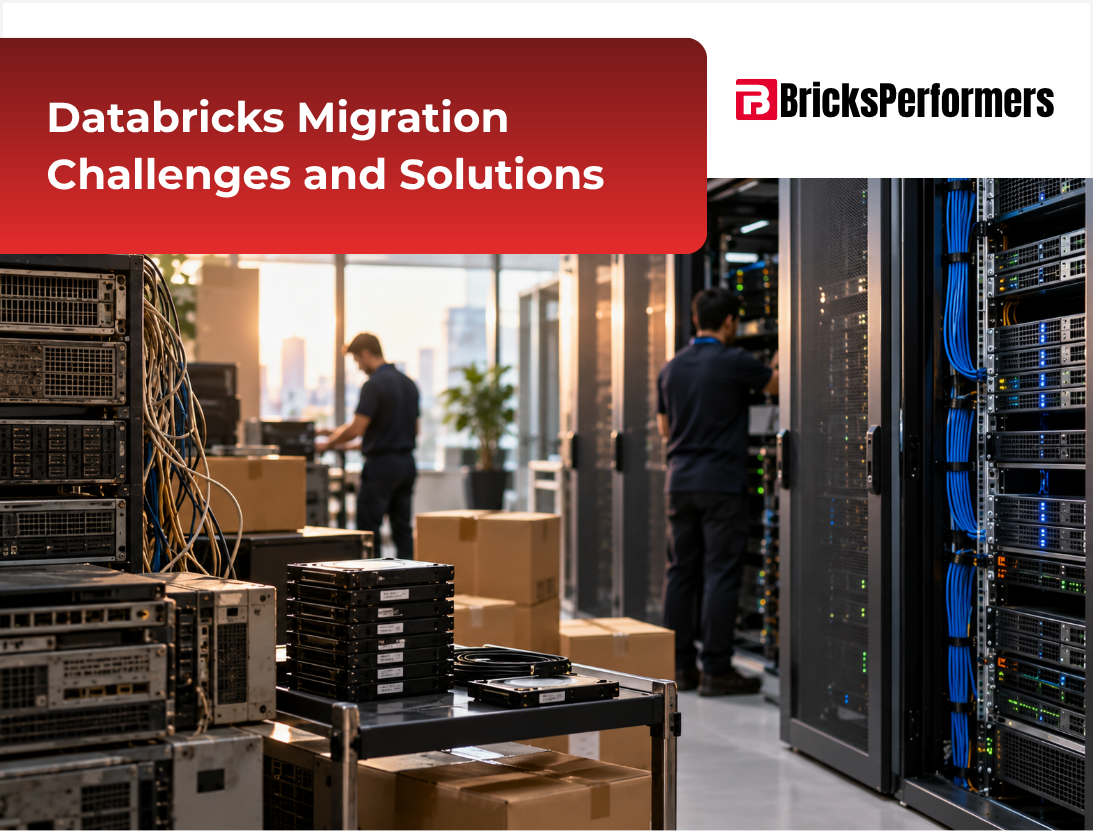
The migration of Databricks includes moving your data, workloads, applications, and business processes to Databricks from another platform.
The migration process may include:
- Moving structured and unstructured data.
- Rebuilding existing ETL and ELT pipelines.
- Converting SQL queries and stored procedures.
- Migrating data warehouse tables and views.
- Replacing legacy reporting and analytics workflows.
- Reconfiguring access controls and security policies.
- Testing application integrations and downstream systems.
The amount of time required for the migration will vary depending upon the existing systems. Companies that are migrating relatively small databases used for analysis purposes can usually complete the process fairly quickly. However, companies that have years of data warehouse workloads to migrate may need to coordinate activities among several teams and dependencies.
For example, a retail business can utilize a traditional data warehouse to store sales transactions, inventory records, customer information, and financial reporting. When moving this workload over to Databricks, there is much more involved than just transferring the table. The company will need to verify that all of their current transformations, reporting calculations, and business rules are still functioning properly.
Three specific aspects require special focus: Data Validation, SQL Conversion, and Migration Testing.
2. Data Validation Challenges During Databricks Migration
The purpose of data validation is to determine if the migrated data is complete, correct, in line with each other (consistent), and able to be used in the new system.
The most important part of migrating data into Databricks is to ensure that the transferred data is reliable for business use, even if the technical process was successful. If there are missing records, duplicates, or incorrect transformations, then the data will not be reliable.
Data Loss and Incomplete Migration
A major problem area is to verify that all necessary data has been successfully moved over from the original platform.
Large databases could potentially hold millions or billions of records. If during a migration process there are issues with extraction jobs failing, network interruptions, incorrect filters being used, or incomplete incremental loads being processed, then it is possible that some of the data may be lost.
A business moving its historical transaction data from its current system to a new one can be successful at transferring all of that data; however, it is possible they will miss the data for transactions made during the last period of time before the migration is complete.
If you miss any transaction, your sales dashboard or financial reporting may reflect incorrect total amounts.
How to fix it: The best way to resolve this issue is by comparing the number of records from the source system to the destination system; identifying which business keys are missing in each system; and verifying that all data was transferred successfully during each migration run. Additionally, if you have a significant amount of data to move, then using an incremental migration strategy would be the most effective approach to handle the large volume of data. Also, keeping track of what has been moved (the completed records) and what still needs to be moved (the pending records) using checkpoints will help you stay organized and on top of the process.
Data Type and Format Differences
Data representation in different data platforms varies. For example, a legacy database might have a different format for representing timestamps, decimal values, and/or character fields than what is used in the Databricks environment.
These differences can create unexpected results during data conversion.
The use of a non-matching number data type for a financial column that was previously defined with a specific decimal precision can result in losing accuracy. Also, inconsistent handling of time zones during the conversion process from dates/timestamps to reporting periods can lead to inaccurate reporting.
How to fix it: Review the schema of both the source and target systems before migrating. Specify clearly defined data types for mapping between the two systems, retain the required decimal precision, and use sample data to verify that all date, timestamp, NULL, and character conversions are working correctly.
Duplicate Records and Inconsistent Data
Duplicate records may enter the destination environment if migration jobs are re-run without sufficient controls, or if the incremental load logic processes the same data multiple times.
An example would be a successful loading of an order transaction, followed by a rerun of the migration process due to a failure that results in the same record being inserted into the database a second time.
This can inflate sales totals and create inconsistencies in downstream reports.
How to fix it: To address this problem, you should use reliable business keys, deduplication rules, and efficient incremental loading logic. In addition, when appropriate, you should use idempotent processing to prevent creating additional records if you run the same migration operation multiple times.
Data Transformation Differences
Legacy systems frequently include many years’ worth of business-specific rules for transforming data. For example, legacy systems can be used to compute revenue, customer statuses, inventory amounts, and financial metrics.
If the migration team incorrectly creates the transformations on the Databricks side, then the Databricks environment will likely produce different results than what is produced by the original environment, regardless of whether or not all of the required data was migrated.
How to fix it: Record your current transformation processes before migrating. Using the same input records and business rules, compare the output from both the source and target systems. Focus on how you perform calculations related to aggregations, filters, joins, and conditional logic.
3. SQL Conversion Challenges When Moving to Databricks
During the Databricks migration process, converting existing SQL code will be one of the largest obstacles. This is especially true if a business has been using a platform like Snowflake, Amazon Redshift, Microsoft SQL Server, Oracle, or a traditional enterprise data warehouse.
Even though these platforms are capable of using SQL, there will be variations in the way that each platform executes the SQL queries; i.e. the platforms will have a variety of syntax, functions, data types and execution behaviors.
The same query may have to be modified before it can be run in Databricks SQL.
Differences in SQL Syntax and Functions
Many different database platforms offer their own unique SQL functions and variations in syntax.
For example, there are many types of operations that will produce different results based on which platform the operation was performed on. These include such operations as date calculation, string manipulation, using conditional expressions, and the use of window functions.
A legacy query may employ a proprietary function that is not represented by a direct equivalent in Databricks SQL.
In order to do this, migration teams will need to find all of the unsupported functions in their applications and find alternative functions that can work in place of the unsupported ones.
How to resolve this issue: Take an inventory of your current SQL scripts, views, stored procedures, and reporting queries. Find any platform-specific functions and try to find equivalent functions within Databricks SQL that you can use to replace them prior to moving all of your dependencies.
Stored Procedures and Complex Business Logic
Many traditional data warehouses are heavily dependent on stored procedures to run multiple steps of a business operation.
The procedure could contain temporary tables, conditional statements, loops, exception handling, and complicated transformations.
Moving the logic that you are trying to convert into SQL on Databricks might require a redesign of some of your current process instead of simply converting the SQL.
For instance, if you have a stored procedure that calculates monthly sales commission using multiple temporary tables and process-oriented actions, then recreating this would likely be accomplished via Databricks SQL, notebooks, or workflow-based orchestration.
How to resolve this issue: Separate business logic from platform-specific implementation. Document the function of every procedure, determine the dependency on other procedures, and select the correct Databricks approach for re-creating the procedure. Verify that the final result is identical to the initial procedure.
Differences in Query Execution and Performance
Even though a converted SQL query produces the exact same results as in the original environment, the performance of that converted query may vary from the original environment.
A query that would run well in a standard database/warehouse environment may not run as effectively in Databricks due to: -poorly performing joins -poorly chosen partitions -unnecessary scans of data -unoptimally designed transformations.
Databricks utilizes Apache Spark as a platform for processing data in a distributed manner, and therefore, the speed at which you can perform queries will depend on how your workload interacts with the underlying data and compute resources.
How to resolve this issue: Examine how your queries execute, determine which parts of your query are most expensive, and adjust both your data structure and your query logic to optimize performance. There are many ways to enhance performance based upon the type of workload you are running, including file compaction, data skipping, partitioning (if applicable), and liquid clustering.
SQL Compatibility and Data Behavior
The process of converting SQL is not just about ensuring that the converted queries run correctly. It’s also about verifying that they retain the same meaning as the original ones.
There are several areas where differences in null handling, string comparisons, decimal calculations, date functions, and aggregation behavior may cause subtle discrepancies.
For instance, a search that computes average transaction values could yield varying outcomes if the handling of null values changes after migration.
How to resolve this issue: Create test cases for essential SQL functions and your business calculations. Test both the source and target systems with exactly the same data set. Include all potential “edge” cases in the testing (e.g., NULL values, duplicates, empty strings, date boundaries).
4. Testing Challenges During Databricks Migration
The purpose of testing is to confirm that the newly created (or “migrated”) environment functions correctly before moving critical business processes into production.
If migration teams do not test enough prior to employees beginning to use the new platform, they will likely find issues with the platform only after employees start using it.
A successful Databricks migration should include several layers of testing.
Data Validation Testing
Data verification is the process of confirming that data transferred from one system to another has been accurately copied.
Important checks include:
- Source and destination record counts.
- Missing and duplicate records.
- Null values in mandatory fields.
- Data type and schema consistency.
- Numeric totals and statistical comparisons.
- Referential integrity between related datasets.
For example, if a business moves five years of sales data into another system, the team must examine transaction count and revenue total by year, month, and/or business unit.
If we check only the total, we might miss some missing records because they could be offset by duplicates in another place.
SQL and Functional Testing
Functional testing is used to verify that the transformed SQL queries, views, and transformations produce the same business outcomes.
The testing procedure will contain both typical and exceptional business circumstances.
For instance, when evaluating a financial reporting query, you can use typical transactions, refunded purchases, cancelled orders, missing transaction data, and transactions processed at or close to the end of the reporting period.
This ensures that the migrated logic will be able to process various types of situations properly.
Performance Testing
Performance testing determines if Databricks workloads will be able to handle the volume of data expected and meet business needs.
A query may run well with a limited amount of data (test dataset); however, it will be too slow once it runs on production-scale data.
Businesses need to run tests against their most critical queries, dashboards, and data pipelines with real-world workloads.
Evaluate query execution duration, resource usage, how well it handles simultaneous requests (concurrency behavior), and when it completes the pipeline process.
If the performance does not meet your expectations, review the query plan, data layout, compute setup, and workload design before going live.
Integration Testing
Databricks is commonly integrated with other applications, BI platforms, cloud storage, API’s, and enterprises.
Integration testing confirms that those connections will work after the migration.
For instance, if a company depends on Power BI dashboards to get data out of their current data warehouse, then after moving over to Databricks, the connectivity, authentication, query logic, and refresh schedules would need to be tested.
The same holds for applications using transformed data via an API or through scheduled exports.
User Acceptance Testing (UAT)
Technical teams can verify if the migration is successful. However, business users need to make sure that the new environment meets their daily needs.
The acceptance testing process provides an opportunity for finance professionals, analysts, operational leaders, and other stakeholders to examine critical reporting and workflow processes.
Finance users have the ability to review and compare their monthly revenue reports between the legacy platform and Databricks prior to giving final approval to proceed with the new environment into production.
The purpose of this step is to help uncover business logic problems that technical testing cannot find.
5. A Practical Approach to Managing Databricks Migration
A structured migration process allows an organization to decrease uncertainty and locate issues prior to affecting production systems.
The following approach can help businesses manage the transition.
Step 1: Assess the Existing Data Environment
To begin, identify all of the source platforms, databases, datasets, SQL workloads, stored procedures, and downstream applications that will ultimately require migration.
Document data volumes, dependencies, business rules, refresh schedules, and performance requirements.
This assessment will help you understand how complex your migration will be, and which applications need more work.
Step 2: Create a Data Mapping and Migration Plan
The way that your existing source tables, fields, and data types will be represented in Databricks is what you should determine.
Identify which data sets will need to be fully migrated, and which can be migrated on an ongoing basis.
In addition to setting up validation rules for the most important data sets (financial records, customer data, and operating transaction data).
Step 3: Convert and Rebuild SQL Workloads
Identify platform-specific SQL queries, functions, and stored procedures by reviewing the existing SQL queries.
Rewrite the compatible queries, revise the complex logic as needed, and then verify that the revised queries yield the same results as the source environment.
Prioritize the most important queries and jobs for business-critical applications, such as those that feed your dashboards or run your operations.
Step 4: Migrate Data in Controlled Stages
Divide the migration process into smaller, manageable stages instead of trying to move everything all at one time.
Begin by using either a small sample of your current workload or a low-risk dataset to start the process. Then verify that the results are correct, correct any errors, and use those experiences to guide you through each of the next phases of your migration.
An incremental load of your data will allow you to minimize your final Cutover window, because it allows you to transfer all changes to your data that have occurred since you first loaded the data into the system.
Step 5: Execute Comprehensive Testing
Perform data validation, SQL functional testing, performance testing, integration testing, and user acceptance testing.
Record problems, establish responsibility, and eliminate major flaws prior to authorizing a release to production.
Step 6: Plan Production Cutover and Recovery
Before switching business workloads to Databricks, define a cutover plan.
This process will include the last synchronization of data, dependencies on other systems, approval from stakeholders, plans for monitoring, and procedures to recover if needed.
The legacy environment will be kept active in accordance with the agreed-upon transition plan, up to the point where the new platform has proven that it is capable of operating reliably.
6. Best Practices for a Successful Databricks Migration
In addition to the migration processes, some practices can help increase reliability.
Prioritize your most critical business processes: Identify those processes that are directly tied to supporting the critical operations of the company. These should be the first ones you migrate and validate, giving each the appropriate amount of time and effort.
Automate data quality checks: You can use repeated validation rules to identify missing records, duplicate records, schema changes, and unexpected values.
Maintain Version Control: Use a version-control system to store SQL scripts, notebooks, and transformation logic. Using a version control system will make it much simpler for you to review, test, and revert to previous versions of your code if something goes wrong.
Documenting business logic: It will help reduce the risk of losing the knowledge that is currently contained within your legacy SQL scripts by recording the way you use key metrics and transformations.
Monitor pipelines after they are migrated: Monitor the number of failed jobs, how long it takes to complete jobs, if the data is current (fresh), and if there has been a significant change in the total number of records processed by the pipeline.
Optimize after validating correctness: After verifying that the migrated workload produces accurate results, optimize the performance of the workload. This can be accomplished by optimizing queries, selecting the appropriate compute configuration, and organizing your data effectively.
These methods provide businesses with an alternative to viewing migration as a single-time transfer of data, allowing them to create a solid basis for all of their analytical needs in the future.
Conclusion
When migrating business data and workloads to Databricks, companies will be able to update their existing analytical environment; however, there are many technical and operational considerations to take into account during this transition period.
Data verification ensures that all data is intact and accurate after the data has been migrated. SQL conversion allows for the preservation of current business rules, as well as the adaptation of existing SQL queries to the new environment. Comprehensive testing will confirm that existing data pipelines, reports, integrations, and application(s) are functioning properly.
If business organizations do not take into consideration all of the aspects listed above, they may have problems with reporting accurately, failing to complete work tasks successfully, experiencing poor performance in their systems, and suffering unexpected interruptions in their operations.
Organizations should assess their data and systems before beginning the Databricks migration process, control how data is transferred from legacy environments to Databricks, convert SQL code into Databricks-compatible code, and test throughout the entire migration process. Organizations that follow these guidelines will have less risk during the migration process and develop a reliable data platform to support analysis, data engineering, and AI projects.
Frequently Asked Questions
1. What are the common challenges in Databricks migration?
Some of the most common issues with data migration are data loss, schema differences, duplicate records, SQL incompatibilities, transformational errors, performance problems, and integration failure. These can all be mitigated by testing and validating before migrating.
2. Why is data validation important during Databricks migration?
Data validation verifies that migrated records match the source environment’s records in terms of accuracy, completeness, and consistency. This process also enables organizations to locate potential missing records, duplicate records, inappropriate data type conversions, and errors in the transformation process prior to being used for organizational reporting.
3. Can existing SQL queries run directly in Databricks?
There are many SQL statements that will work on another platform with very few modifications. However, there are also many SQL statements that need to be converted to another platform’s SQL dialect due to variations in how each platform handles syntax, functions, data types, and execution. Also, if a user has written a complex stored procedure or used platform-specific SQL, they will likely have to make further redesigns to their SQL statement.
4. What types of testing are required for Databricks migration?
The primary testing types are: Data Validation Testing, SQL Functional Testing, Performance Testing, Integration Testing, and User Acceptance Testing. All of these test types assist in verifying that the new environment has met both technical and business requirements.
5. How can businesses reduce risks during Databricks migration?
Businesses may lower risk through an assessment of their current infrastructure, documentation of dependency relationships, creation of a data mapping plan, migration in phases, automation of validation checks, testing of converted SQL, and development of a production recovery plan.
6. How long does a Databricks migration take?
Data migration timelines are influenced by several factors: the amount of data being migrated; how complex the source system is; what type of SQL work will be done; what integrations with other systems are needed; and what testing is required. A small migration project may require significantly less time to complete than a very large enterprise migration that involves many different systems and business-critical applications.