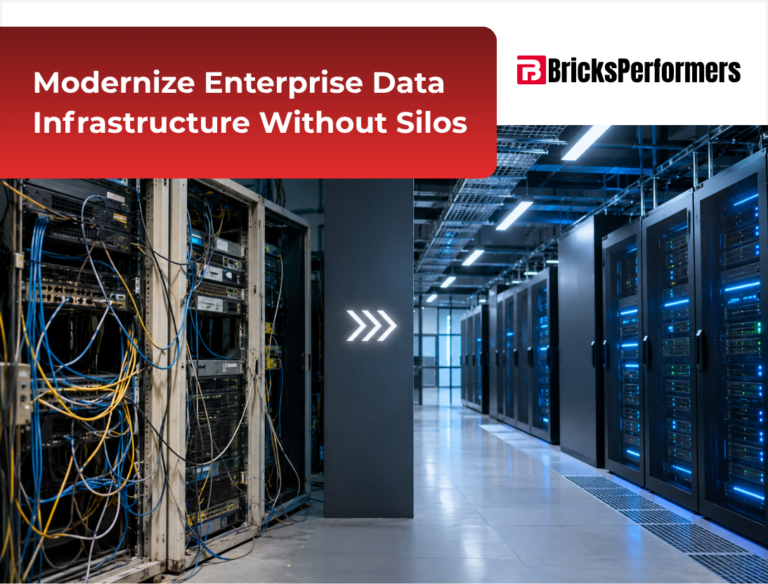
As an organization grows, its data infrastructure becomes more complex. Organizations typically use some mixture of older (legacy) database systems, cloud-based solutions, business-related software applications (enterprise), data storage facilities (warehouses), and outside vendors’ services. All of these generate and store critical business data; however, linking them can prove a significant obstacle.
Organizations are investing in upgrading their enterprise data architecture to overcome these constraints. This investment will enable organizations to enhance how they collect, store, process, integrate, and access data throughout their organization.
However, modernization comes with an important risk: creating new data silos.
For instance, a company could move its old database system into the cloud and also use an additional unconnected storage platform to run reports and analyze data. At the same time, another business unit within that same organization may buy an entirely different data integration tool without ever taking into account what is already being used across the entire organization. While each of these purchases will allow the company to upgrade some of their individual systems, they will likely create more fragmentation in terms of managing all of the company’s data.
As such, a successful modernization plan must include more than simply replacing obsolete systems. A successful modernization plan must establish an integrated, flexible, and properly managed data environment.
This article provides an overview of how organizations can update their business-wide data management systems (or enterprise data infrastructure) to support modern business operations and maintain a competitive advantage, while avoiding the creation of additional data silos. The article covers several key areas of consideration, including developing a clear strategy for the architecture of the data management system, transitioning existing data from on-premises to cloud-based solutions, integrating various types of data into a single location, establishing governance policies for managing data, and providing concrete steps that organizations can take to implement these changes.
1. Understanding Enterprise Data Infrastructure Modernization
Modernizing enterprise data infrastructure involves upgrading the technology, design, and methods that an organization employs to handle its data.
Traditional data environments typically use multiple databases, local servers, manual pipeline maintenance, and non-integrated reporting systems. While these types of environments may be functional at first, as the amount of data grows and business needs change, the ability to manage and maintain the environment will become more challenging.
The modern enterprise data environment utilizes scalable storage systems, cloud-based applications, automated data pipelines, integrated analytical applications, and either centralized or federated governance to enable enterprises to more easily manage and utilize their data.
Modernization can involve:
- Migrating legacy databases to modern platforms.
- Replacing outdated data processing technologies.
- Connecting cloud and on-premises applications.
- Automating ETL and ELT data pipelines.
- Improving data quality and accessibility.
- Establishing consistent data governance policies.
- Supporting advanced analytics and artificial intelligence workloads.
However, the concept of modernization is not always synonymous with transitioning all systems to a single cloud provider, nor is it always necessary to replace each of your current applications.
The objective is to establish an architectural model for multiple systems to share data reliably with each other while providing adequate security, control of ownership, and control of access.
2. Why Enterprise Data Silos Develop During Modernization
Data silos occur when data is stored separately in different systems, departments, or platforms, which restricts access to the data by other authorized users and/or applications.
Interestingly, as a result of making independent decisions on technology, modernization projects may inadvertently lead to the development of additional silos.
Here are some common reasons.
1. Department-Specific Technology Investments
Purchasing software is typically based on the short-term needs of each department.
For instance, the sales organization can utilize Salesforce, the finance division might rely on SAP, and the marketing division may have its own customer data analysis software.
Integration of the applications described above is necessary to prevent fragmentation of both customer and operational data.
The process of modernization may exacerbate the issue described above if departments implement new cloud-based applications without regard for how those applications will integrate with their current systems.
2. Migrating Data Without Modernizing Architecture
Some organizations treat cloud migration as the complete modernization strategy.
They use their current database and application systems in a cloud environment. However, they continue to operate with the same disjointed data models, integration processes, and workflow environments that existed before moving to the cloud.
In turn, the organization updated their hosting environment but did not address the root causes of their data management issues.
3. Duplicate Data Storage
Sometimes organizations create multiple versions of the same data for use in different areas such as reporting, analysis, development, and ML.
In spite of the fact that copies may be used for many valid reasons, uncontrolled creation of duplicate copies results in numerous versions of the exact same data.
For example, if there are two separate departments that both have customer data, and one has current contact details for customers, while the other is still using old contact details.
This can lead to inconsistent reports and unreliable business decisions.
.4. Inconsistent Data Governance
As a result of not having common governance standards, there is no way for various teams to have a consistent approach to defining, classifying, securing, and managing data.
One department will use a customer’s email address to find them in the system, and a second department will find that customer using their own internal identification number.
These differences create challenges when attempting to integrate systems, which may also limit an organization’s ability to develop a uniform perspective on all of its data.
IBM emphasizes the importance of integrating current methods for managing, integrating, and governing data to prevent additional data silos from forming.
3. Assess Your Existing Data Infrastructure Before Making Changes
The initial stage of successfully modernizing your enterprise data is to assess what is currently in place.
Organizations should not select a platform prior to determining how their current systems manage, process, and transfer data.
A proper infrastructure assessment should examine:
Identify data sources: Identify databases, CRM platforms, ERP applications, cloud storage, API’s, and other third-party data sources.
Data ownership: Determine which department/team is going to maintain a particular set of data.
Integration dependencies: Understanding how applications share information and determining which APIs, data pipelines, and manual processes exist.
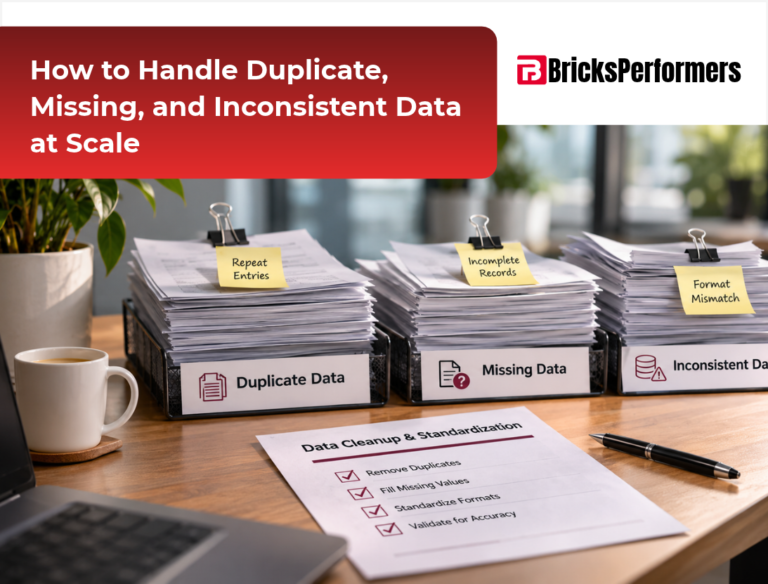
Data Quality Check: Review for duplicate records, missing data, format issues (e.g., date formats), and out-of-date information.
Infrastructure Limitations: Pinpoint performance issues, limited storage space, security flaws, and difficulties with upkeep.
Business Requirements: Find out what application and analysis work depends on each dataset.
An organization should evaluate its current use of three separate systems for storing customer data. Before transitioning from the old systems to a new system, the organization must identify which system has the most accurate data, how customer data flows across multiple systems, and what business processes rely upon customer data.
This assessment can prevent organizations from carrying over their current issues to the new infrastructure.
4. Build a Unified Enterprise Data Architecture
An Enterprise Data Architecture (EDA) allows for the connecting of various systems in a systematic manner. EDA does not force each system to utilize the exact same technology.
The goal of this initiative is to create common integration standards, standard data definitions, and access to data that can be relied upon throughout the company.
Several architectural approaches can support this goal.
API-Led Integration
API-led Integration enables applications to communicate with each other using well-defined interfaces.
For example, Salesforce is able to access customer information via an API with their ERP system rather than having to manually transfer that same information into Salesforce.
The use of this method can decrease the number of direct relationships that exist between applications, as well as make it simpler for organizations to reuse integration methods.
Data Lake Architecture
A data lake is a single location that stores all of an organization’s structured, semi-structured, and unstructured data.
Organizations may obtain data from various sources and then apply that data to their data engineering, analytical, and machine learning workloads.
However, just building a centralized data lake doesn’t automatically eliminate silos. Companies will always require the correct metadata, access controls, how they organize their data, and overall governance.
Data Warehouse Architecture
A data warehouse is used to store and organize data from various sources (such as transactional systems) to be used for reports, business intelligence, and/or analytics.
The use of such a system can assist organizations in creating standard reports through integration of data across several of their operations.
Lakehouse Architecture
A Lakehouse provides both flexibility for storing data and structure for managing and analyzing data.
Organizations may be able to lower their reliance on separate systems for conducting analytical work.
Data Mesh Architecture
Data mesh is a way of organizing and designing organizations around data. It allows different parts of a company (business domains) to own their own data.
In addition to relying upon a single centralized data team, each of your domain teams will produce and maintain their own reusable data products that meet your organization’s common governance requirements.
The proper architecture will be based on the needs of your company, the current technology you use, the level of complexity of your data, and how your organization is structured. You don’t have to implement all of the architectural models at once.
5. Modernize Legacy Systems Without Creating New Data Silos
Legacy systems have vital business data and are integral to many of the organization’s business processes, making it difficult for an organization to replace or disrupt these systems.
Complete replacement of the current systems can cause operational risk, costly migrations, and possible incompatibilities.
An alternative is to incrementally update the existing legacy infrastructure and maintain communication with the currently used applications.
Use a Phased Modernization Strategy
Prioritize systems based on business value, technical limitations, and modernization requirements rather than attempting to migrate all systems simultaneously.
For example:
- Modernize databases that create major performance bottlenecks.
- Replace outdated data integration processes.
- Connect critical enterprise applications through reusable APIs.
- Migrate selected workloads to suitable cloud platforms.
- Gradually modernize remaining legacy components.
The advantage of this method is that it creates less of an impact on the business process while providing technical personnel with the opportunity to verify each step.
Maintain Interoperability Between Old and New Systems
Organizations will typically be required to maintain both old and new applications during periods of modernization.
Integration platforms, APIs, data replication, and controlled data synchronization provide a means for continuous communication among the various systems.
An organization might choose to transition their analytics workloads to a cloud-based data platform while maintaining their current enterprise resource planning (ERP) system on-site.
The two systems may share acceptable data via safe integration channels until such time as the Enterprise Resource Planning (ERP) platform can be modernized.
Avoid Unnecessary Data Replication
Not every application needs its own permanent copy of enterprise information.
Before developing a new data set, assess if the application has secure access to an existing reliable source via APIs, data virtualization, or other approved methods of integration.
Where replication is required, define ownership clearly, establish how often data will be synchronized, and set limits on how long data should be kept.
Microsoft’s cloud modernization guidelines also make clear that moving a workload to another environment is not the same as improving its architecture or capabilities. Migrating a workload to another environment will not necessarily change its architecture or capabilities.
6. Establish Strong Data Governance Across the Enterprise
Technology cannot alone stop the development of data silos.
Organizations must have uniform policies on how data will be used (ownership), managed, protected (security), and distributed (sharing).
Enterprise data governance establishes these responsibilities.
A strong governance framework should include the following elements.
Data Ownership
Every important dataset should have a clearly defined owner.
For instance, the finance department will use financial reporting data and the sales department will manage customer opportunity data.
Clear ownership helps teams resolve inconsistencies and maintain accountability.
Data Standards
Organizations should define all of their data consistently (i.e., with the same terms), use consistent names for data elements, use consistent formatting of data elements, and validate data against a set of standards.
For instance, Customer IDs, Product Categories, Transaction Dates, and Regional Codes need to be consistent with one another throughout the different systems that are connected.
Metadata Management
Metadata provides information about data sets such as where the data was collected from, how it is organized, who owns the data, what the data represents, and how you should use the data.
A searchable data catalog can assist employees with identifying existing data and determining if a particular data set is relevant to what they are trying to achieve.
Access Control and Security
Enterprise information does not need to be accessible by all employees or applications.
The use of Role-Based Access Control, Data Classification, Encryption, and Access Monitoring allows for the protection of sensitive information from unauthorized use, yet allows authorized teams to gain access to that same information.
Data Quality Management
Organizations need to continuously verify that their data is complete, correct, uniform, and has no duplicates.
The governance practices outlined above allow for consistent application of reliable information across various systems, as opposed to each system being able to create its own set of rules.
Microsoft’s guidelines on the use of unified data platforms also include a focus on the creation of a data inventory, the development of common business definitions for data elements, and the establishment of regulatory compliance and data security as basic governance components.
7. Automate Data Integration and Pipeline Management
As companies add additional applications and generate more data, it will be hard for them to continue transferring data manually.
Automated integration of data will help companies move and change their data consistently throughout the company’s computer system.
Modern ETL and ELT pipelines are capable of collecting data from various sources such as databases, applications, APIs, and cloud storage prior to preparing that data for either analytical or operational uses.
For instance, a retail company can obtain customer data via their CRM, sales data via their ERP, and online behavior data via their digital channels.
Automating the integration process will allow all of these different sources of data to be brought together in one place, verify that each dataset is formatted correctly, and provide users with access to valid data for analysis.
To improve pipeline reliability, organizations should:
- Use reusable integration components.
- Apply consistent transformation rules.
- Validate incoming records.
- Monitor pipeline failures and processing delays.
- Implement retry and recovery mechanisms.
- Maintain data lineage to track where information originates.
- Avoid creating duplicate pipelines for similar business requirements.
Integration and Processing Requirements: Platforms like MuleSoft, Apache Kafka, and Apache Spark are able to accommodate various integration and processing needs. The selection of a particular platform is based upon the system(s) being integrated, as well as if the workload will be processed in a batch (scheduled), stream (event), or application-to-application fashion.
8. Use Cloud Platforms Strategically, Not as Isolated Storage Solutions
Cloud platforms offer scaled infrastructure, managed databases, data processing services, and analytical capabilities.
However, using more than one cloud service without a unified architectural plan creates an additional level of isolation.
In this example, an organization could be storing its customers’ information on one cloud service provider, its operational data on a second cloud service provider, and its analysis data on a third cloud service provider; however, the organization has no way of governing how all three of these different cloud services are accessed.
To prevent this, businesses should:
Define your cloud data strategy: By identifying which applications/workloads you will be moving into the cloud and which you will be keeping on-premises.
Integrate standards: Define how cloud applications and existing enterprise systems will share information.
Ensure consistent management: Use suitable security and permission settings in both your local environment and in your cloud-based environment.
Assess cost of data movement: Review expenses related to storage, processing, network transfer, and integration.
Do not duplicate your platform: Choose which service you will use based upon what you need to do, not how many departments you have.
The goal is not to force all organization-wide data into a single platform. Rather, the goal is to make information accessible via a network of connected systems, each using the same set of security controls.
9. Measure the Success of Enterprise Data Modernization
Projects to modernize existing systems must be measured by both their technical and business impacts.
Simply transferring databases and/or introducing new technology doesn’t mean your infrastructure has improved.
Organizations should track indicators such as:
| Measurement | What it indicates |
| Data integration coverage | The strength of the connections between critical systems |
| Data duplication rate | Are superfluous duplications of data on the rise? |
| Data quality score | High accuracy and coverage of significant datasets |
| Pipeline failure rate | Reliability of automated data processing |
| Data access time | The speed by which verified users can search and locate data |
| Infrastructure cost | Is modernization sharpening cost efficiency? |
| Data availability | If relevant information is available on demand |
| Reporting consistency | Consistency in Data Definitions across departments |
The above metrics provide a way for an organization to recognize its areas of concern and see if the modernization investments made have achieved the desired outcomes.
A good example is when a company moves its data center from on-premises to the cloud, yet continues to maintain customer records in multiple areas within the organization. This represents the fact that although the company has transitioned to a newer technology stack, they have not become any more unified.
You can identify this problem by measuring the duplication of your data, the extent to which you integrate your systems, and how consistent you are at generating reports.
10. A Practical Roadmap for Modernizing Enterprise Data Infrastructure
A structured plan is available to businesses that will allow them to update their current systems/infrastructure without increasing the likelihood of developing new data silos.
Step 1: Assess the existing environment
Identify data sources, existing (legacy) applications, storage systems, integrated systems/dependencies, and governance gaps.
Step 2: Define business priorities
Identify those modernization projects that will enhance business processes, improve analysis, provide better customer experiences, and increase capacity.
Step 3: Design the target architecture
Establish how different systems will interact with one another, where the data will reside, and how control of the data and its use will be determined.
Step 4: Establish governance standards
Before you begin a large-scale migration of data, define who owns the data, what the common definitions are for each of the data elements, what the security policies will apply to this new environment, how the metadata should be created/defined, and what the quality standards are for each type of data.
Step 5: Modernize in phases
Prioritize critical workloads, introduce changes gradually, validate integrations, and data quality at each step.
Step 6: Automate integration and monitoring
Implement a strong data pipeline, API, and monitoring architecture so you can track where your data is flowing and find out when something goes wrong.
Step 7: Continuously optimize
The organization should evaluate its infrastructure performance, data quality, cost of using its platform, and the need for new integrations as it continues to expand.
Businesses should view modernization as a continuous cycle of improvement, not as a single instance of replacing technology.
Conclusion
The modernization of enterprise data infrastructure is critical for companies seeking to enhance their ability to scale, operate more efficiently, perform analysis on their data, and provide easier access to that data. However, if a company simply replaces old systems with new ones, while failing to address how those systems will be integrated into the organization and governed, they could potentially build new data silos rather than eliminate them.
A successful enterprise data modernization initiative should be supported by an integrated architecture, consistent and reliable data integration, strong and consistent data governance, a well-managed cloud transition, and a clear line of sight regarding department-level responsibility for managing data.
Organizations should evaluate their current technology environment prior to purchasing new platforms, gradually update aging systems, automate the flow of data through the organization’s processes, and create uniform rules for handling all forms of organization-wide data.
The final goal is not about transferring all data to one central site. It is about creating an interconnected data environment that will enable employees throughout the entire company to access, understand, and reuse data as needed, while avoiding the costs associated with redundant data storage or fragmented data.
Frequently Asked Questions (FAQs)
1. What is enterprise data infrastructure modernization?
Enterprise Data Infrastructure Modernization is a process that can be used by organizations to update their data storage, processing, integration, and management systems. This usually includes updating from traditional to modern databases, migrating to the cloud, automating pipelines, improving data governance, and developing scalable data architectures.
2. Why do data silos develop during modernization?
Departments may develop data silos when they utilize different software, move their data to other systems without updating their integration strategies, duplicate data when it is not needed, and/or use inconsistent methods for managing data.
3. What is the best way for organizations to update older data systems while maintaining business operations?
With this approach, business owners can use multiple ways of migrating, such as using phased migrations, API-based integrations, controlled data synchronizations, and running systems in parallel. Using these approaches, both legacy and modern platform environments will be able to operate simultaneously, with the workload being upgraded gradually.
4. What is the role of data governance in enterprise modernization?
The purpose of Data Governance is to establish ownership, control who has access to the data, create standards for the quality of the data, manage the data’s metadata, and comply with all regulatory and legal obligations. As such, Data Governance enables organizations to ensure that they have a source of reliable and consistent data from multiple sources.
5. Does enterprise data modernization require moving everything to the cloud?
No. There are different ways for businesses to update their systems. They can move to the cloud, improve their existing hardware/software at home, use a mix of both (hybrid), or combine multiple methods. What is the best method will depend on your needs, such as security, compliance, performance, costs, and business requirements.
6. Which technologies help prevent enterprise data silos?
Fragmentation can be reduced through the use of API Management Platforms, Integration Tools, Data Catalogs, Cloud Data Platforms, Data Warehouses, Lakehouses and Automated ETL/ELT pipelines. However, the success of these systems relies upon their integration and governance.